If you’re staring at a blank wall and a big flat-screen box, you’ve probably already started asking the question: TV stand or wall mounted TV? It’s not just a style choice — it changes your cable setup, your safety risk around kids and pets, how much floor space you get back, and even how a renter’s lease year ends.
A TV stand suits anyone who wants furniture-store flexibility: rearrange the room, add storage, skip the drill entirely. A wall mounted TV suits anyone chasing a clean, modern look and willing to trade a little flexibility for a lot of visual calm. Short version: if you rent, move often, or want storage, lean stand. If you own your walls, want a minimalist look, and can commit to the install, lean mount. Here’s the full breakdown, cost by cost, room by room.
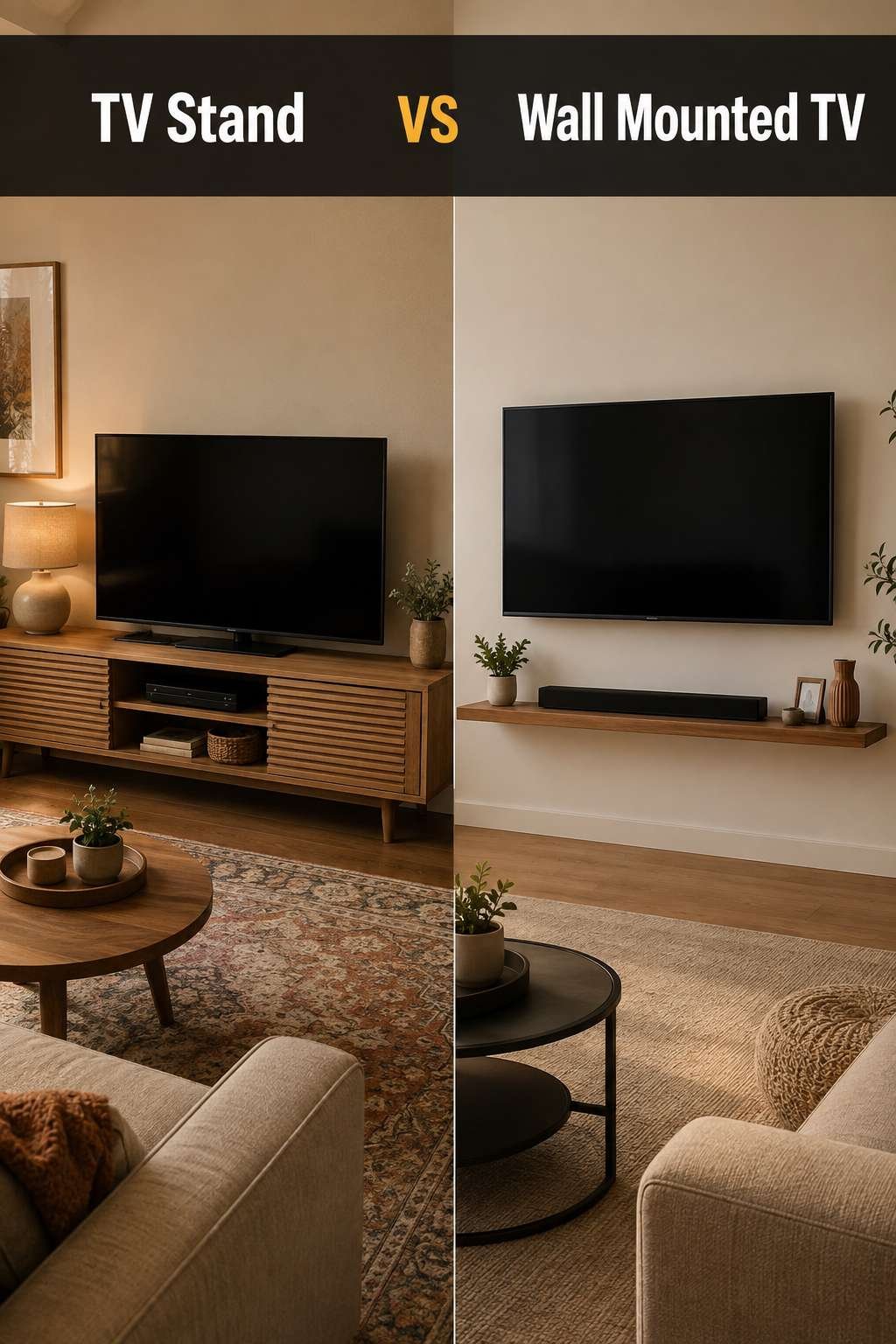
TV Stand vs Wall Mounted TV: The Full Comparison
| Criteria | TV Stand | Wall Mounted TV |
|---|---|---|
| Average Cost | $80–$600 for the stand itself, plus assembly time | $30–$400 for the mount, plus $100–$300 for professional installation (or free if DIY) |
| Installation Difficulty | Low — unbox, assemble, done in under an hour | Moderate to high — needs a stud finder, level, and comfort with a drill |
| Space Footprint | Uses floor space; needs 12–24 in. of depth | Frees up floor space entirely |
| Cable Management | Cables run down the back, easy to hide inside the stand | Clean look, but hiding cables needs an in-wall kit or raceway |
| Safety (Kids & Pets) | Tip-over risk without anti-tip straps | Very low tip-over risk once properly anchored to studs |
| Renter-Friendliness | Fully renter-friendly — no wall damage, moves with you | Riskier for renters — drilling can affect a security deposit |
| Aesthetic Flexibility | Easy to restyle, swap, or replace independently | Sleeker, more minimalist, but harder to change position later |
| Resale / Rental Value Impact | Neutral — has no effect either way | Slight positive for buyers who want a move-in-ready media wall |
What These Numbers Actually Mean in a Real Home
Those ratings turn into everyday reality fast. A TV stand’s tip-over risk isn’t theoretical — unsecured furniture is a well-documented hazard around toddlers and food-motivated cats, so budget for anti-tip straps regardless of which side you land on. On the wall-mount side, “moderate to high” installation difficulty really means: can you find two studs 16 inches apart, or will you need a toggle-bolt solution for a stud-less wall? That’s the line between a free Saturday project and a $150–$300 call to a professional installer. And the renter-friendliness gap is the biggest hidden cost in this whole comparison — a simple mount install can turn into a lost deposit if your lease doesn’t allow wall penetrations.
Quick Look: TV Stand vs Wall Mounted TV at a Glance
TV Stand
A freestanding console that holds your TV and gives you storage — no drilling required.
View on Amazon →Wall Mounted TV
A slim bracket that holds your TV directly on the wall for a clean, floating look.
View on Amazon →Deep Dive: TV Stand
A TV stand is the right call for renters, frequent movers, anyone who needs storage for consoles and media, or homes with wall types — brick, tile, plaster — that make mounting a bigger project than it’s worth. It’s also the safer default when you’re not confident about finding studs and don’t want to gamble on drywall anchors alone.
Pros
- No drilling, fully reversible, ideal for renters
- Built-in storage for consoles, cables, and media
- Easy to angle, move, or replace independently of the TV
- Works with any wall type — no stud access required
- Lower upfront cost for most budgets
Cons
- Takes up floor space in smaller rooms Our small living room decor ideas has more inspiration along these same lines.
- Tip-over risk without anti-tip anchor straps
- Cables often still visible along the back
- Viewing height can sit lower than ideal for taller seating Check our tv viewing distance if you want exact numbers before you shop.
- Style dates faster than a clean wall-mounted look
Deep Dive: Wall Mounted TV
A wall mounted TV is the right call for homeowners, minimalist or modern rooms, small spaces that need the floor space back, and media rooms chasing a cinematic, gallery-style look. It also tends to win in households where a properly anchored mount removes tip-over risk entirely, which matters most with young kids or active pets.
Pros
- Frees up floor space entirely
- Lower tip-over risk once properly anchored to studs
- Clean, modern, gallery-style look
- Full-motion mounts angle the TV to any seat in the room
- Tends to read as a “finished” feature to future buyers
Cons
- Requires studs (or toggle bolts) and real installation effort
- Harder and costlier to reposition once installed
- Hiding cables cleanly needs an in-wall kit or raceway
- Riskier for renters — can affect a security deposit
- Professional installation can add $100–$300 if you skip DIY
Real Rooms, Real Verdicts
Small Apartment / Studio
Under 400 sq ft, every inch of floor space matters more than storage.
Wall Mounted TV wins — reclaims precious floor space.
Budget Renovation
Skipping a $100–$300 install fee still leaves a room looking intentional.
TV Stand wins — lower upfront cost, no install labor.
Rental / No-Drill Friendly
Unless a lease explicitly allows wall mounting, this is the deposit-safe choice.
TV Stand wins — zero wall damage, zero deposit risk.
Luxury Media Room
A large screen centered above a built-in console is the classic media-room look.
Wall Mounted TV wins — cinematic, gallery-style focal point.
High-Traffic Family Room
Anchored to studs, the TV stays out of reach and out of tip-over risk.
Wall Mounted TV wins — with proper anchoring.
Professional Tips
- Get the viewing height right. Center the screen at seated eye level — for most sofas that’s about 42–48 inches from the floor to the center of the screen, not the top. Our leather sofa vs fabric sofa comparison covers that decision in more depth.
- Plan cables before you mount, not after. An in-wall kit is the only way to get a truly cordless look; a paintable raceway is the budget-friendly compromise.
- Patch jobs matter for resale. A properly anchored mount with clean, painted patches reads as a bonus to buyers; a sloppy patch job reads as a red flag.
- Avoid the #1 regret. Mounting too high to “match the fireplace” is the most common wall-mount mistake — mock up seated eye level with painter’s tape before you drill.
Shop the Winner
If you’re leaning toward a TV Stand, here’s what to get started with:
Best Overall
A mid-size media console with cable cutouts and closed storage — wide enough for TVs up to 65 inches without overhang.
Best Budget
A simple two-shelf open stand that covers the basics — sturdy enough for everyday use without drawers or cabinet doors.
Best Premium
A solid-wood console with soft-close drawers, integrated cable channels, and a weight rating built for 75-inch-plus TVs.
If you’re leaning toward a Wall Mounted TV, here’s what to get started with:
Best Overall
A full-motion mount that tilts, swivels, and extends — the most flexible option for angling the screen to any seat in the room.
Best Budget
A fixed low-profile mount that holds the TV flush to the wall — the most affordable way to get the clean wall-mounted look.
Best Premium
A full-motion mount paired with an in-wall cable management kit for a completely cordless, gallery-style finish.
Frequently Asked Questions
Is a wall mounted TV safer than a TV stand?
Once properly anchored into wall studs with the correct hardware, a wall mounted TV carries a lower tip-over risk than an unsecured stand — but an unstrapped mount or an improperly secured stand can both be dangerous. Anti-tip straps on a stand close most of that safety gap.
How much does it cost to mount a TV on the wall?
A basic fixed or tilting mount runs about $30–$150, a full-motion mount runs $150–$400, and professional installation typically adds $100–$300 — or nothing if you install it yourself.
How much does a TV stand cost?
Basic stands start around $80–$250, while substantial media consoles with storage and cable management run $250–$600 or more.
Can I wall mount a TV without drilling into studs?
You can use heavy-duty toggle bolts rated for the TV’s weight on drywall alone, but studs are the safer, more secure option whenever they’re available.
Will mounting a TV damage my rental walls?
Yes, in most cases — drilling leaves holes that need patching, and some leases explicitly prohibit wall mounting. Always check your lease or ask your landlord before drilling.
What height should I mount my TV?
Aim for the center of the screen at your seated eye level, typically 42–48 inches from the floor for most sofas — not the top of the TV.
Do TV stands tip over easily?
Standard TV stands can tip if a child climbs on them or a large TV overhangs the base; anti-tip straps anchored to the wall largely eliminate that risk for about $15–$40.
Is a full-motion mount worth the extra cost?
If more than one seating angle needs a clear view — an L-shaped sofa, an open kitchen-living layout — a full-motion mount’s $150–$400 cost is usually worth it over a fixed mount.
How do I hide cables with a wall mounted TV?
An in-wall cable management kit routes cords through the wall for a fully cordless look; a paintable cord raceway is the cheaper, non-invasive alternative.
How do I hide cables with a TV stand?
Most stands have an open or routed back panel where cables can run down and gather inside the console, out of sight from the front.
What size TV stand do I need?
As a rule of thumb, choose a stand at least as wide as your TV, ideally a few inches wider on each side for visual balance and stability.
Can two people mount a TV in one afternoon?
Yes — for a standard mount into studs with pre-drilled holes, most people finish in one to two hours; a full-motion mount or in-wall cable kit can take half a day.
Does a wall mounted TV increase home resale value?
It’s a minor positive for many buyers who see it as a move-in-ready feature, though it’s rarely a deciding factor on its own — clean installation and patched, painted holes matter more than the mount itself.
What’s the maximum weight a wall mount can hold?
It varies by mount — most standard mounts handle 40–100 lbs and premium full-motion mounts handle up to 150 lbs or more; always check the mount’s rated capacity against your TV’s actual weight.
Can I put a TV stand and a wall mount in the same room?
Yes — a common hybrid is a low floating shelf or console beneath a wall-mounted TV, giving you both the clean wall-mounted look and a place for a soundbar or streaming box.
Is it cheaper to DIY a TV mount install or hire a professional?
DIY costs only the mount itself, roughly $30–$400; hiring a professional adds $100–$300 in labor but reduces the risk of a poor stud connection or a crooked install.
What wall types are hardest to mount a TV on?
Brick, tile, and plaster-and-lath walls are the most difficult, often requiring specialty anchors or a professional installer familiar with that wall type.
Do TV stands work with large TVs like 75-inch or 85-inch screens?
Yes, but the stand needs a wide enough weight-rated surface — check the manufacturer’s maximum TV size and weight rating before buying, especially for stands over 65 inches.
Should I choose a TV stand or wall mount for a bedroom?
Either works, but a stand is often the easier bedroom choice since bedroom walls are less frequently pre-planned for cable routing, and repositioning furniture later is simpler.
What’s the biggest regret people have after choosing a TV stand or wall mount?
For wall mounts, it’s mounting the TV too high; for stands, it’s underestimating how much floor space a large console actually takes up in a smaller room. Measuring and taping out both options before buying prevents most regrets.
The Final Verdict
Here’s the honest answer: if you rent, move often, or need the storage, get a TV stand — it’s cheaper, fully reversible, and works on any wall type. If you own your home, want a clean modern look, and don’t mind a weekend project (or a $150–$300 install fee), mount it — a properly anchored wall mount is actually safer around kids and pets than an unsecured stand. Small apartments and luxury media rooms lean mount; budget renovations and rentals lean stand. Either way, don’t skip anti-tip straps or stud verification — that’s the one step no comparison chart can talk you out of.